
Your phone or Microsoft 365 account may contain the first tool you need for AI meeting follow-up. Test it before you buy another subscription. Inform the participants, capture clear audio, export usable text, correct material details and approve the meeting record.
Treat the transcript as unapproved source material. A reviewer must confirm the minutes, decision log and action owners.
AI can turn the transcript into a summary, action list or draft email. A person should check the source and approve what the business keeps or sends.
Start with the Meeting Setup
Set up the room before anyone speaks.
A phone placed beside one participant may miss the other end of the table. A laptop set to the wrong microphone may capture the person wearing a headset and lose the room. Overlapping voices, fan noise and poor connections can remove the exact words that carry a decision.
Use a five-minute test in the real environment. Include the number of speakers, room size, call platform and device position you expect to use.
Use details that expose common errors:
- a person's name and company;
- a date and a figure;
- a project name;
- a decision with a condition;
- an action, owner and deadline.
Compare the transcript with the recording. Count errors that change meaning, ownership or timing. A missing filler word matters less than assigning an action to the wrong person.
Tell People and Define the Purpose
Recording a meeting can create personal information and may capture confidential, sensitive or special-category information.
Tell participants that you plan to record and transcribe the meeting. Explain the purpose, who can access the files, whether another service will process them and how long you expect to keep them. Give people a route to raise a concern or use another note-taking method.
Do not treat a recording icon or platform announcement as your full process.
The ICO requires organisations to identify a lawful basis before they handle personal information and explain how they will use it. Choose and document the basis that fits your purpose and relationship with the participants. Use consent where it meets the ICO's conditions; another basis may fit the meeting. ICO lawful-basis guidance and ICO right-to-be-informed guidance.
Check contracts, client terms, employment policies and sector rules. Pause the recording if the conversation moves into material that the agreed purpose does not cover.
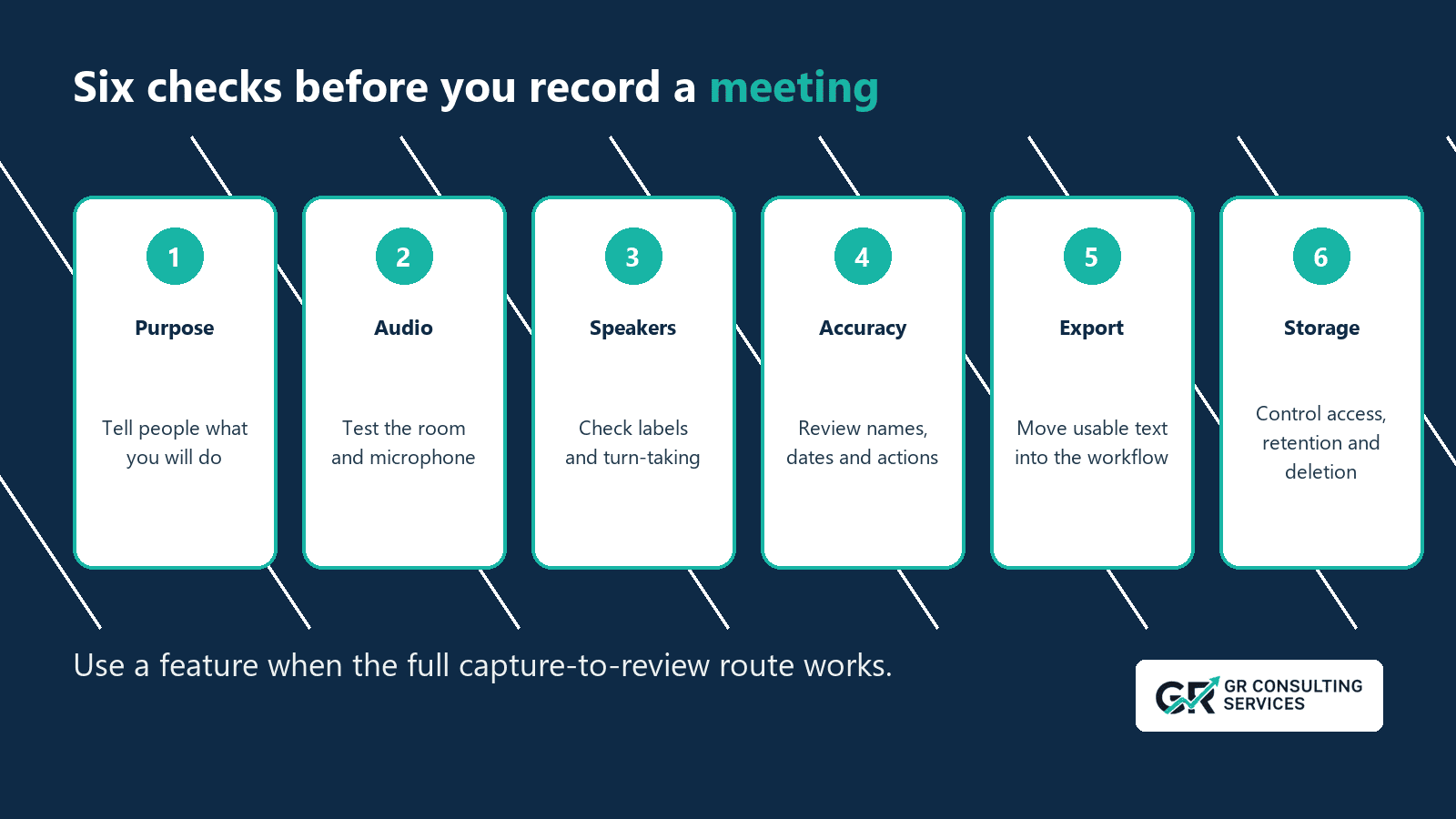
Use the Six-Part Capture Check
1. Purpose
Write one sentence that explains why you need the recording.
Example:
| We will record this project meeting to prepare a draft summary, decisions, actions and follow-up email for review by the project lead.
Define the participants, reviewer and approved destination. Decide whether you need the audio after the record receives approval.
2. Audio
Test the device in the real room or call.
For an in-person meeting:
- place the microphone where it can hear each participant;
- reduce background noise and table vibration;
- ask people not to speak over one another;
- check the first minute before the discussion develops.
For a remote or hybrid meeting, check which microphone and audio source the transcription tool uses. Microsoft warns that a headset microphone may fail to capture an in-person room and suggests testing the input before recording. Microsoft Support
3. Speakers
Assign each decision and action to the correct speaker.
Check whether the tool separates voices, how it names them and whether you can correct labels across the transcript. Test your real accents, speaking pace and language mix.
Keep speaker labels generic until you have a valid need to attach names. Voice analysis can raise extra privacy questions, so check the product setting and your policy before enabling it.
4. Accuracy
Review the words that can change the business record:
- names and organisations;
- dates, times and figures;
- decisions and conditions;
- actions, owners and deadlines;
- approvals, refusals and uncertainty;
- references to contracts, policy or regulated work.
Use the audio to correct these fields before asking AI to produce minutes. If the audio remains unclear, mark the point for confirmation. Do not let the model infer a name or decision from context.
5. Export
Plan how the reviewer will receive the transcript.
Test whether you can:
- copy or export the full text;
- preserve timestamps when needed;
- keep or correct speaker labels;
- use a common format such as text or a document;
- move it without making the source public;
- save it in the correct client or project location.
You can use a share link for playback, but the team may need a stable working copy. A text or document export gives reviewers more control over correction and AI processing.
6. Storage
Find each copy of the audio and transcript.
Check the phone, cloud account, document folder, meeting platform, recycle bin, backup and any AI service that receives the transcript. Confirm who can open each copy and which sharing default applies.
Set a retention rule that matches the purpose. The ICO says organisations must not keep personal data longer than needed and should justify retention periods, review stored information and delete or anonymise data that no longer serves the purpose. ICO storage-limitation guidance
Test deletion on non-sensitive material. Apple states that deleting an audio recording in Notes deletes the transcript. Microsoft stores uploaded or recorded audio in a OneDrive `Transcribed Files` folder. The test should show which copies remain. Apple Support and Microsoft Support
Compare the Tools You Have
Start with the devices and accounts under your organisation's control.
| Route | Current capability to test | Main limitation to check | Export and storage question |
|---|---|---|---|
| Apple Notes on iPhone | Record audio, view a transcript, search it and copy or add it to a note on compatible devices and languages | Device, language and feature availability; speaker handling; room capture | Confirm that you can move the text into the approved workspace and understand the effect of deleting the audio. |
| Microsoft Word or OneNote | Record or upload audio, separate speakers, edit the transcript and add text to a document or page | Microsoft 365 account, platform, browser, internet and upload limits | Locate the OneDrive folder, list who has access and define the deletion step. |
| Google Recorder on Pixel | Record, transcribe, edit and export text or send it to Google Docs on supported Pixel devices | Device and language support; US-English limit for current speaker labels | Check whether the recording remains on the device, enters backup or moves to another account. |
| Meeting-platform transcription | Capture the call through the platform and keep timestamps or participant context | Plan, host setting, participant policy, language and external-guest access | Confirm that you can export the transcript without opening a public link or retaining the recording beyond need. |
A newer route is wearable capture. Granola now supports Apple Watch, extending meeting capture beyond laptops and phones. The practical test remains the same: check how clearly it captures the room, where the audio and transcript go, who can access them, whether the record can be corrected and exported, and how it is deleted. TechCrunch, Apple App Store
Build the Review Route
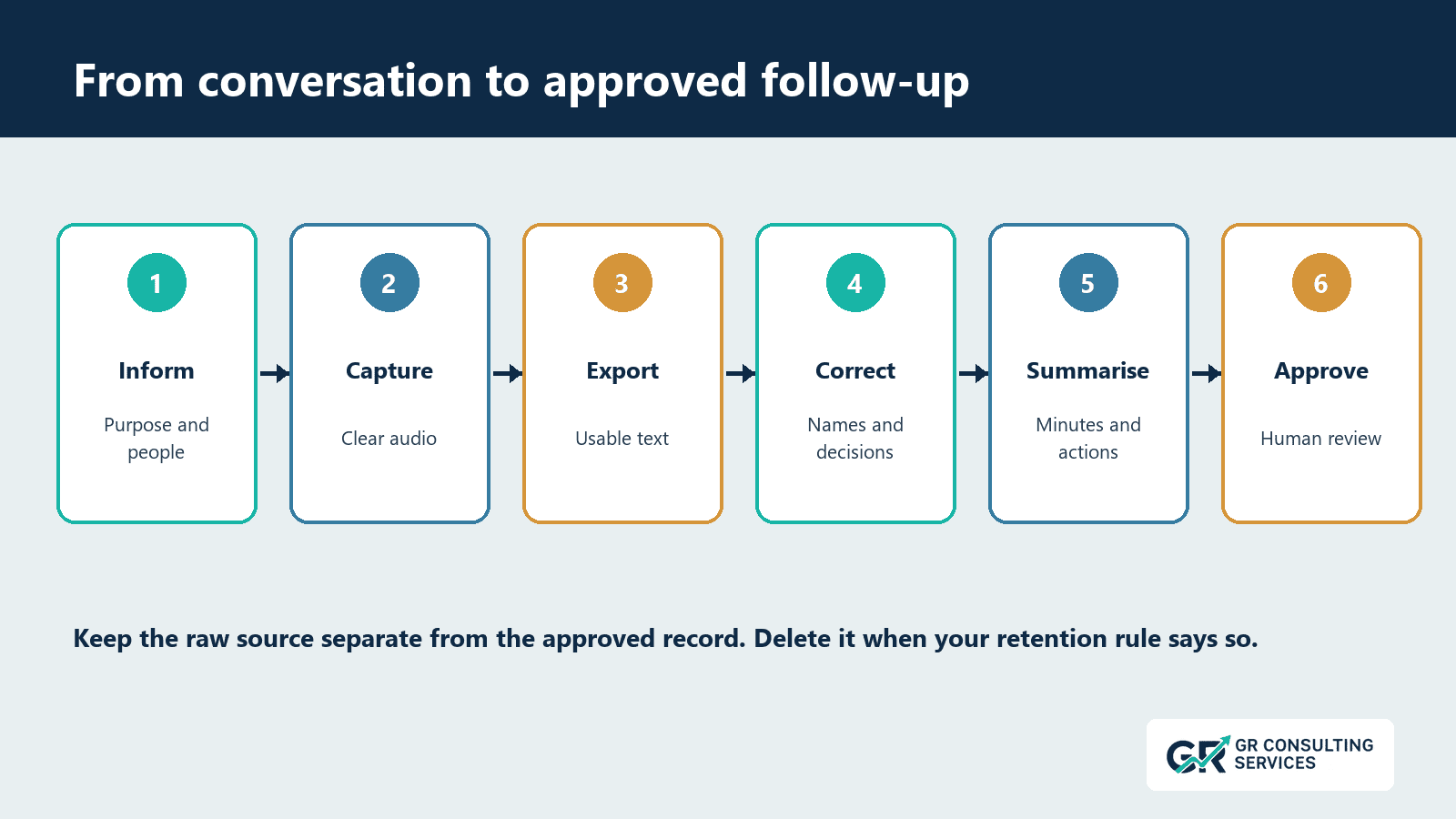
Use this sequence:
inform -> capture -> export -> correct -> summarise -> approve
At the correction step, confirm names, decisions and actions against the audio. Ask the AI tool for the required structure.
Use this request:
Base the response on the supplied transcript.Produce:
- A concise meeting summary.
- Decisions stated in the meeting.
- Actions with owner and deadline where stated.
- Open questions or missing details.
- A draft follow-up email.
Rules:Do not invent names, decisions, owners or dates.Mark unclear transcript passages as needing review.Separate proposals from agreed decisions.Keep confidential detail out of the email unless required.
The reviewer compares the draft with the corrected transcript, confirms the record and decides what to send or store.
Keep three states clear:
- raw recording and machine transcript;
- corrected working transcript;
- approved meeting record and follow-up.
These three states give your team a source, a working copy and a controlled output.
Common Failure Points
Buying for the Demo
A polished demo uses clean audio and a supported accent. Test your meeting rooms, devices and languages before you commit.
Treating a Transcript as Minutes
The transcript records the conversation with errors. The approved minutes reflect the decisions and actions that a reviewer confirms.
Losing the Speaker
An accurate sentence assigned to the wrong person can create a false commitment. Correct speaker labels or remove the attribution until someone confirms it.
Copying Sensitive Material into an Unsuitable Tool
Check the organisation's approved tools, account type, data terms, access controls and retention before moving a transcript. Remove material that the task does not need.
Keeping Each Copy
Audio, transcript, document export and AI chat can create several versions. Define the approved source and delete redundant copies under the retention rule.
Assuming the Summary Fixes the Source
A concise summary can hide a capture error. Correct material facts before asking AI to condense the transcript.
A Low-Risk Pilot
Choose a short internal meeting that contains no client secrets, special-category data or high-consequence decisions.
Before the meeting:
- confirm the purpose and participant information;
- test the microphone and export;
- choose the reviewer and destination;
- set the retention rule.
After the meeting:
- compare the transcript with the audio;
- count material errors;
- measure correction and review time;
- check each stored copy;
- record which setup changes improved the result.
Repeat the test across three representative meetings. A sales call, internal project meeting and hybrid client review may need different capture routes.
Do not claim time savings until the pilot includes correction and approval. Fast transcription can create slow follow-up if the team must rebuild names, ownership and context.
The Practical Next Step
Use the six-part check on one low-risk meeting:
- Purpose.
- Audio.
- Speakers.
- Accuracy.
- Export.
- Storage.
Pass the setup when a reviewer can trace important statements to the source, correct material errors and approve the meeting record without rebuilding the conversation from memory.
GR Consulting Services helps founder-led SMEs identify useful
AI tasks, organise the source material around them and build reviewable workflows that fit the business.
Turn meeting conversations into records your team can use.
Use the six-part check on one low-risk meeting. If poor capture, unclear storage or missing review keeps causing lost actions and rework, book an opportunity call with GR Consulting Services. We will examine the current meeting process and identify one practical improvement.