Longer Is Not Always Better: How to Clarify an AI Request

17 Jul 2026 11:42 AM Comment(s) By GR Consulting Services

A longer AI prompt can be useful when the work is complex. It can also hide the job inside repeated context, conflicting rules and examples that add no new information.

Prompt quality does not come from word count. It comes from giving the model the right job, the context that changes the answer, clear constraints, a defined output and a visible review point.

That distinction matters for small businesses. A vague or cluttered request creates more than an imperfect answer. It can also create extra writing, checking, correction and disagreement about what the AI was asked to do.

The Real Input Problem

People often describe poor AI input as a bad prompt. That phrase can make the problem sound like a writing trick.

The business problem usually starts earlier.

You may not have decided:

  • which job the AI should complete;
  • which source contains the approved facts;
  • which details affect the answer;
  • which rules the output must follow;
  • what a useful result looks like;
  • who will review it before use.

No prompt formula can replace those decisions.

Clear prompting begins with clear work.

Long, Short or Complete?

Short prompts can fail because they omit the information needed to do the job.

For example:

   | Write a client update about the project. 

The request does not identify the source, audience, status, length, tone, boundaries or review point.

A long prompt can fail for a different reason. It may repeat the background, mix old and current instructions or bury the output requirement near the end.

The useful question is:

   | Does this detail change the task, the answer or the review? 

Keep it when the answer is yes.

Remove it, summarise it or move it into a maintained source when the answer is no.

OpenAI's current prompt-engineering guidance recommends relevant context and precise instructions. It also notes that models work within finite context windows. The practical implication is simple: include the information the model needs, but do not treat the context window as a storage cupboard. OpenAI prompt engineering guide

Five Parts of a Clear AI Request

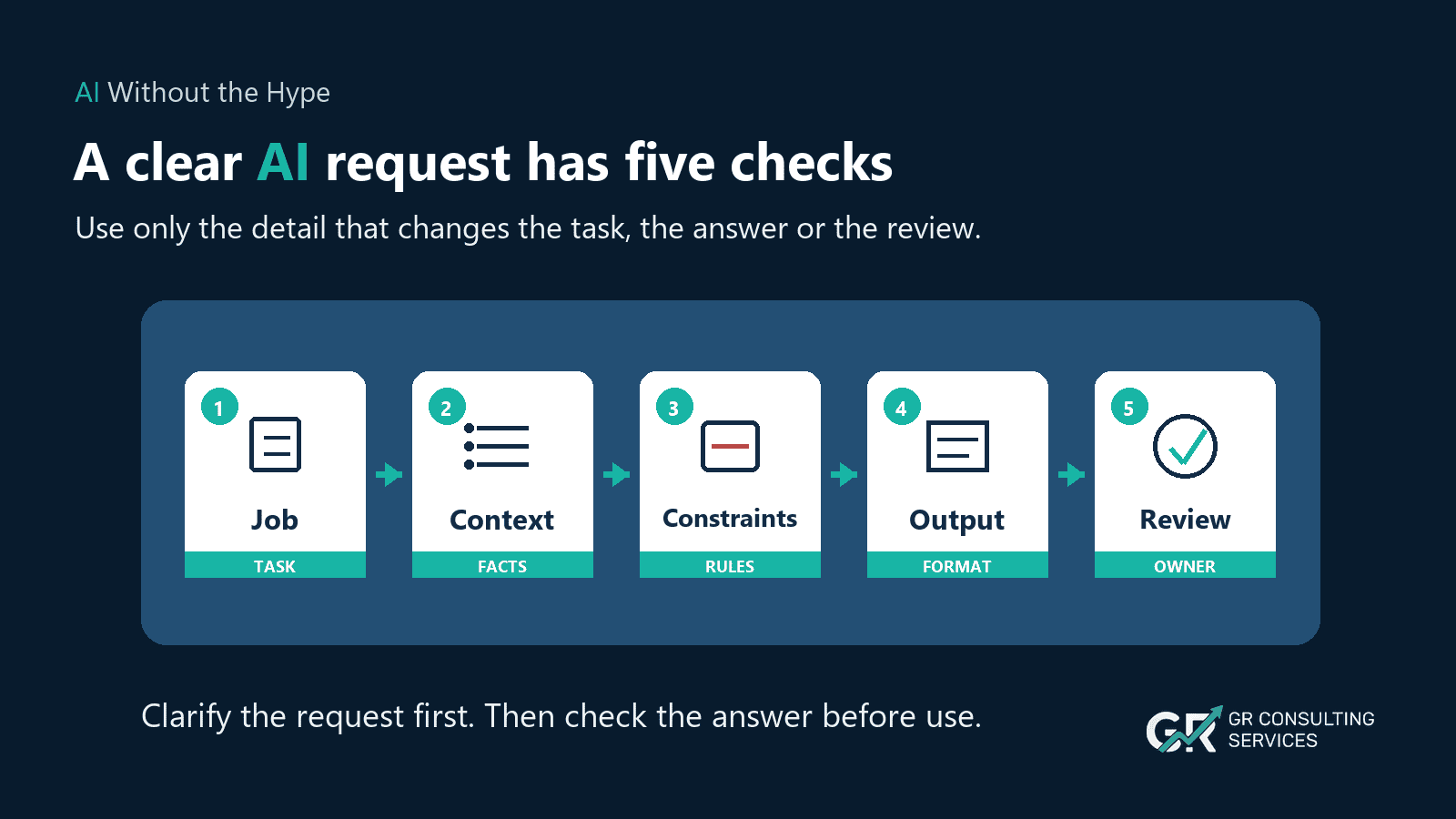
1. Job


State the action in one sentence.

Examples:
  • draft a client update;
  • extract agreed actions from approved minutes;
  • compare three supplier proposals against named criteria;
  • turn a public report into a management briefing.

One request can contain several steps, but the overall job should remain clear.

2. Essential Context


Include the facts and sources that change the answer.

For a client update, that may include:
  • the approved project notes;
  • the agreed status and next milestone;
  • the intended recipients;
  • the current approval state.

Avoid copying the full history of the account when only the latest approved status matters.

3. Constraints


Name the rules, limits and exclusions.

Examples include:
  • maximum 180 words;
  • use British English;
  • do not invent owners, dates or decisions;
  • do not treat proposals as approved;
  • use only the supplied sources;
  • flag missing information.

Constraints protect meaning. A normaliser must preserve them.

4. Required Output


Describe the result you need.

Ask for the format, length and sections that make review easier. A clear output could be:
  • a subject line and email draft;
  • a table with supplier, evidence, risk and open question columns;
  • a summary followed by decisions and actions;
  • a three-option recommendation with assumptions shown.

Do not ask for structure that adds no value. The output format should help somebody use or check the work.

5. Human Review


Name what a person must verify.
For a client update, that may include:

  • dates and status;
  • commitments and approval language;
  • recipients;
  • confidential information;
  • missing owners or dependencies.

The AI can prepare the draft. A named person remains responsible for its use.
Five cards explain the parts of a clear AI request: job, context, constraints, output and review.

What to Keep and What to Cut

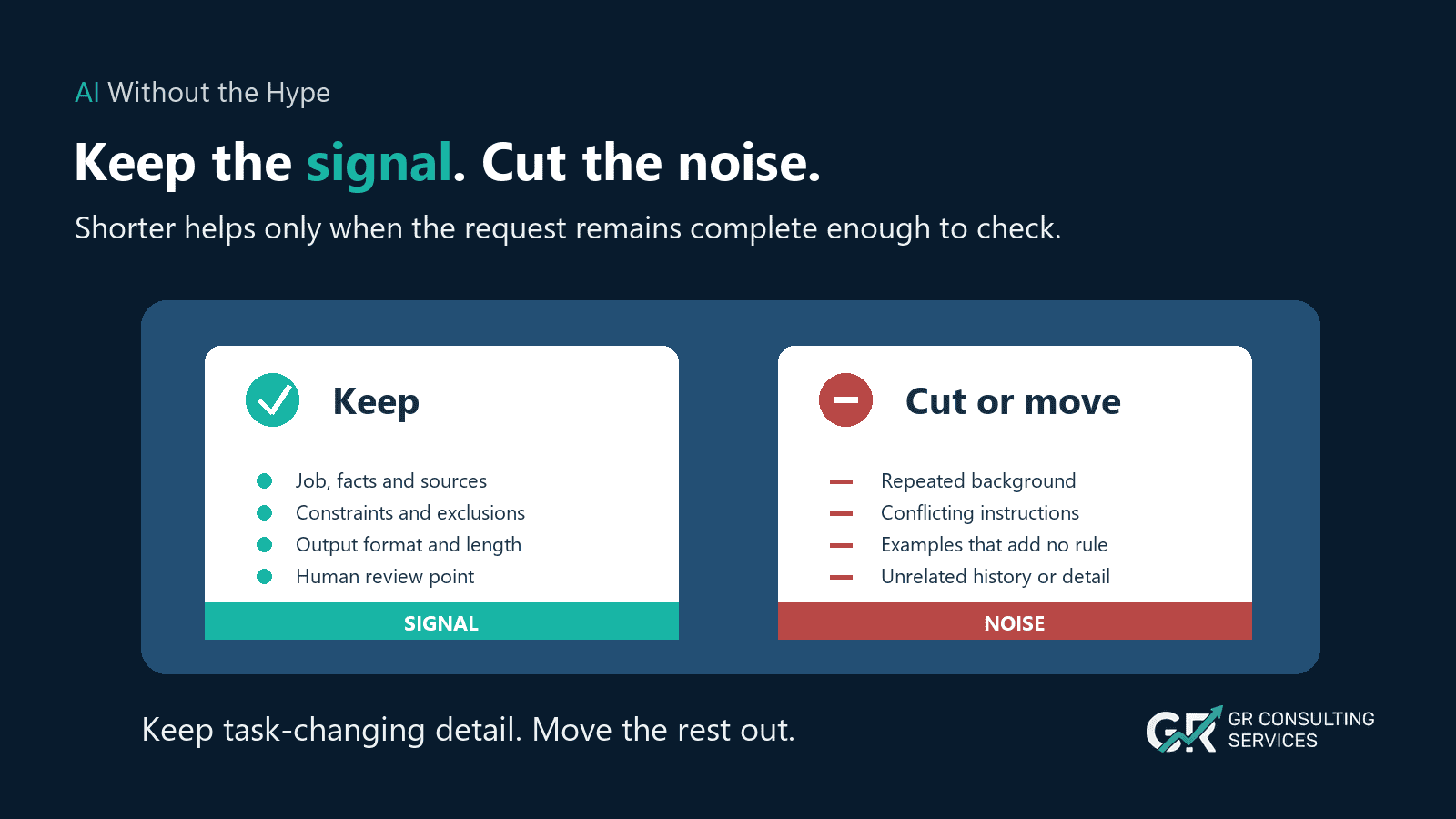
Keep:
  • the job to be done;
  • approved facts that change the answer;
  • constraints and exclusions;
  • the required format or length;
  • the human review point.

Cut, summarise or move elsewhere:
  • repeated background;
  • conflicting old instructions;
  • examples that add no new rule;
  • history unrelated to the current task;
  • personal preferences that do not affect the result.
Do not cut context merely to make the prompt look concise. A short prompt that omits a decision boundary is worse than a longer prompt that keeps it explicit.
A comparison shows which details to keep in an AI request and which repeated or unrelated details to remove.

Before and After

Messy request:

| Can you write the client update from the project notes? We normally keep these fairly short, although the last one was longer because the implementation had changed, and I want it to sound confident but not too confident because approval is still pending. Mention the launch date we agreed. We have discussed the owner a few times but I do not think it was confirmed. Do not make it sound like everything is final. A short email would be good, perhaps about 180 words, and flag anything I need to check. 

Normalised brief:

Job:
Draft a client project update.

Essential context:
  • Use the approved project notes.
  • Include the agreed launch date.
  • Approval remains pending.

Constraints:
  • Maximum 180 words.
  • Use a calm, confident tone.
  • Do not present pending work as final.
  • Do not invent an owner.

Required output:
  • Subject line.
  • Client email draft.
  • A short "Needs review" list after the draft.

Human review:
  • Confirm the launch date, approval wording, owner and recipients before sending.

The normalised version is shorter because it removes repetition. It remains useful because it preserves the facts and boundaries.

One Way We Use the Method

A preparation step can organise a rough thought before an AI tool completes the job.

At GR Consulting Services, we call our version the Intent Normaliser. We built it with Wispr Flow capabilities; Wispr Flow does not offer a product feature under that name.

Wispr Flow currently supports custom transforms that can rewrite selected text using a saved rule. Its own guidance recommends specific instructions, a stated output format, clear constraints and one rule per task. Wispr Flow custom prompts guide

The concept does not depend on that product. You could apply the same pattern with:
  • a saved prompt;
  • a reusable assistant;
  • a text-expansion shortcut;
  • a form with five fields;
  • a manual review checklist.

The method matters more than the interface.

Copyable Starter Pattern

Use this on a low-risk request:


Turn the request below into a concise, reviewable AI brief.

Return these sections:

  1. Job
  2. Essential context
  3. Constraints
  4. Required output
  5. Human review
  6. Questions before use, only when needed

Rules:
  • Preserve named facts, numbers, dates, sources and decision boundaries.
  • Remove repetition and background that does not change the task.
  • Do not add facts, decisions, permissions or commitments.
  • Do not resolve conflicting instructions silently.
  • If important information is missing or conflicts, list the issue under "Questions before use".
  • Keep the result concise, but do not remove information needed for safe review.

Request:
[paste or dictate the request]


Check the normalised result against the original before using it.

How to Test the Result

Use three checks.

Meaning Check


Confirm that the result preserves:
named facts and figures;
deadlines;
source limits;
approval status;
exclusions;
review requirements.

Conflict Check


Confirm that it has not hidden or guessed through conflicting instructions.

For example, keep it under 100 words and include the full ten-point history may need a decision. A good normaliser should flag the conflict.

Usefulness Check


Ask whether a colleague could understand the task and review the output without reconstructing your original train of thought.

If not, the brief may be short but incomplete.

Where Prompt Injection Fits

Prompt injection is a separate but related risk.


Prompt injection uses instructions embedded in content to manipulate an AI system. The risk increases when a tool can browse websites, access records or trigger actions.


The UK NCSC has warned organisations to use caution when building services on large language models whose outputs can influence actions or access external data.


Require a defined review point before AI output drives a business action involving external content, sensitive data or system access.


This week's pattern limits AI to drafts, summaries and checklists, with a person reviewing the result.

A 60-Second Team Check

Before using AI for a task, ask:

  1. Is this the right tool for the information involved?
  2. Is the task narrow enough to check?
  3. Have we removed unnecessary sensitive detail?
  4. Does the instruction say what the AI must not do?
  5. Does a named person approve any decision, message, stored record or system update?

If any answer is unclear, pause.


A short pause helps the business contain risk while staff experiment with useful tools.

Cost and Efficiency

For API work, input tokens are normally billed at model-specific rates. Unnecessary repeated text can therefore add direct cost when the same request runs at scale.

Most SMEs should also measure the less visible costs:
  • time spent composing the request;
  • time spent finding scattered context;
  • corrections caused by missing or conflicting instructions;
  • review time;
  • inconsistent versions used by different people.

Do not claim savings until you measure them.

For five suitable tasks, record the time spent preparing the request, reviewing the output and correcting it. Then test the five-part structure on another five comparable tasks.

Compare:
  • preparation time;
  • number of clarification rounds;
  • corrections;
  • missing facts or boundaries;
  • reviewer confidence.

That small test will tell you more than a general claim that shorter prompts save time.

When the Problem Is Not the Prompt

Prompt editing will not fix:
  • missing approved source material;
  • stale client or project information;
  • unclear ownership;
  • conflicting business rules;
  • a task that nobody has defined;
  • sensitive information placed in an unsuitable tool;
  • a workflow with no review point.

Those are process, data or governance problems.

If you keep adding context because the same facts are scattered across notes, folders and chats, Week 8's workspace-memory topic will address the larger issue. Rewriting the prompt each time is a signal that the context needs a maintained home.

The Sensible Next Step

Take one request you use more than once.

Reduce it to:

  1. job;
  2. essential context;
  3. constraints;
  4. required output;
  5. human review.

Check that you have preserved every fact and boundary that changes the work. Then test the brief on a low-risk task and compare the result with your original method.

GR Consulting Services helps founder-led SMEs clarify practical AI use cases, organise the context around them and build reviewable methods that fit the wider workflow.


Reduce the time your team loses to unclear AI requests.

Copy the five-part starter pattern and test it on one repeated, low-risk task. If unclear instructions or scattered information keep creating rework, book an opportunity call with GR Consulting Services. We will examine one real task and identify a practical improvement.

GR Consulting Services

https://www.gr-consulting.co.uk/