

The course venue has changed. The booking record shows the new address, but a joining-information attachment and a queued reminder still point to the old one.
An AI helper can produce a well-written message from either version. The practical question is whether the team can identify which outputs depend on the changed fact and stop the wrong version reaching a customer.
This is an illustrative training-business scenario, not a client case. It needs a small, repeatable change check: confirm the change, trace its uses, update the affected work and record what was checked before release.
Start with one approved change
Choose a change the business already makes, such as a course venue, joining time or named contact. Work through that one change before trying to document every system.
For the venue example, establish:
- which course and session the change applies to;
- the approved new venue and when it takes effect;
- who is authorised to confirm it; and
- which record the team should use for the current details.
A proposed venue is not a confirmed booking. If the source is incomplete or two authorised records disagree, the person responsible must resolve that before a helper drafts a definite instruction.
Keep the current fact in a record the team already uses. A shared booking record may be enough. Creating another register of venue details would add another place to maintain.
Trace the fact into the work that uses it
List the tasks that use the venue, then identify how each one obtains it. A live reference to a record, a saved export and text copied into a template need different update checks.
In this example, the affected work includes joining instructions and a reminder. Check the attachment and queued message as well as the text a helper is about to draft. A new source value does not necessarily update a file or message that has already been created.
For each task, record its owner, source and review point. In a small team, the same person may own several tasks; the distinction is still useful when someone is absent or another person takes over.
If one helper drafts joining information and another prepares reminders, identify who checks that both use the same approved venue. Giving each output an owner does not automatically assign that shared check.
Keep the source boundary narrow. This example requires approved course details and maintained wording, not access to unrelated bookings or a complete learner list.
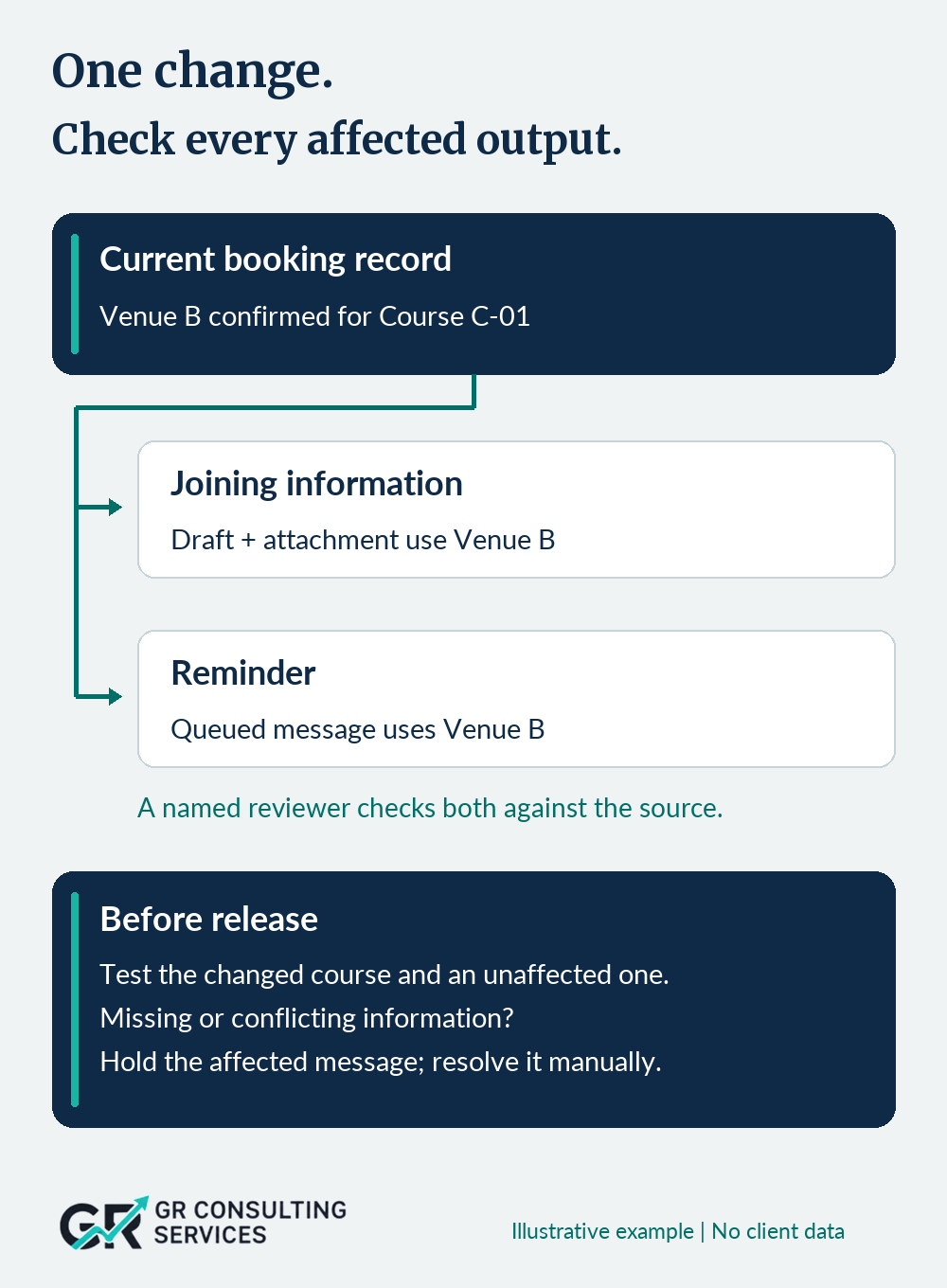
Check the outputs already created as well as the next draft. Updating the source alone does not close the change.
Keep a short change record
The change record should help another person finish or verify the work. It can sit beside the existing booking or task record; it does not require a new platform.
| Field | Illustrative entry |
|---|---|
| Change | Course C-01 moves from Venue A to approved Venue B |
| Scope | The specified session only; other courses are unchanged |
| Current source | Approved booking record, with its update reference |
| Change owner | Course coordinator |
| Affected work | Joining-information draft and attachment; queued reminder |
| Output owners | Named joining-information and reminder owners |
| Reviewer | Person authorised to check details and release the messages |
| Release condition | Affected outputs checked against the current source; exceptions resolved |
| Completion evidence | Updated versions, test results and actual release or hold status |
These are dummy roles and values. Set the level of detail to match the effect of getting the change wrong. A venue change affecting imminent travel deserves more attention than a harmless internal wording adjustment.
Agree who can resolve an exception and when the check must be completed. The person doing the work needs enough time and authority; a reviewer named in a record may still be unavailable.
Update the source, instructions and affected outputs
Separate changing facts from maintained instructions. The template might explain how to structure joining information; the current booking record supplies the venue. If the address is also embedded in an instruction or saved example, that copy needs attention too.
Update the approved source first, then work through the affected outputs. Check how each helper receives the new version. It may need a refreshed export or a new input file; do not assume that a connected tool has read the latest record.
Where a queued message is affected, use the authorised process to hold, correct or replace it before release. Limit the hold to the affected work where that can be done safely.
If incorrect information has already been sent, record that separately. Updating the next draft does not correct the earlier message. An authorised person must decide the appropriate customer communication and how to check that the correction has been handled.
AI may assist with drafting or comparing supplied versions. It should not invent missing booking details, approve the change or decide that a customer-facing correction is unnecessary.
Test the change and its boundaries
Use dummy information to check more than the expected new output.
| Test | What the reviewer should check |
|---|---|
| Changed course | Joining information and reminder both use approved Venue B, including attachments and copied text |
| Unaffected course | A different session retains its own venue; the change has not spread beyond its scope |
| Missing or conflicting source | The affected message is held and the issue reaches the named person; the helper does not fill the gap |
Compare the result with the approved source, not just with another generated output. Two messages can agree with each other and still be wrong.
If a test fails, pause the affected route and correct the cause. Keep a manual way to prepare and check the message while the tool route is unavailable. Do not restore an incorrect old venue simply to make an earlier template work.
For a team still defining its first AI-supported task, the minimum viable AI project structure provides a starting point for scope, sources and review.
Close the change, then maintain the route
Record which versions were checked, who accepted the result and whether messages were released or held. A successful draft is not evidence that an old queued message was replaced, or that a customer received a correction.
Make superseded instructions and examples clearly inactive so they are not selected for new work. Preserve necessary history under the business's retention arrangements. When retiring a helper, first establish what still depends on it and who will take over that work.
After the next relevant change, review whether the record helped. Were any affected outputs missed? Did checking take more time than expected? Remove duplicate records or unnecessary steps where the evidence supports doing so.
Start with one recently changed fact. Trace it to the documents and messages that use it, then ask the next reviewer to show which version is current. Any unresolved copy or responsibility is part of the change still to complete.
If several workflows share information and it is difficult to decide where responsibility or upkeep should sit, apply for a Business Clarity Diagnostic to clarify the problem and next sensible step.
Sources and scope
The UK Government Data Quality Framework guidance supports understanding the data journey, correcting issues near their source and communicating relevant changes. It addresses government data management; the course example and change record here are a small-business adaptation, not a prescribed government checklist.
The voluntary NIST AI Risk Management Framework Core includes system inventories, assigned responsibilities, ongoing review and safe retirement. AI RMF 1.0 is being revised. Its outcomes inform the general approach; this article does not establish compliance with the framework.
Both sources checked 3 November 2026. The scenario, roles and test values are synthetic. No client result, sector-wide prevalence or time saving is claimed.
Visual credits: Illustration: GR Consulting Services; AI-generated training-office background with branded editorial layout. Diagram: GR Consulting Services. Illustrative example, no client data.