

Start With a Meeting You Already Have
A Beginner Prompt
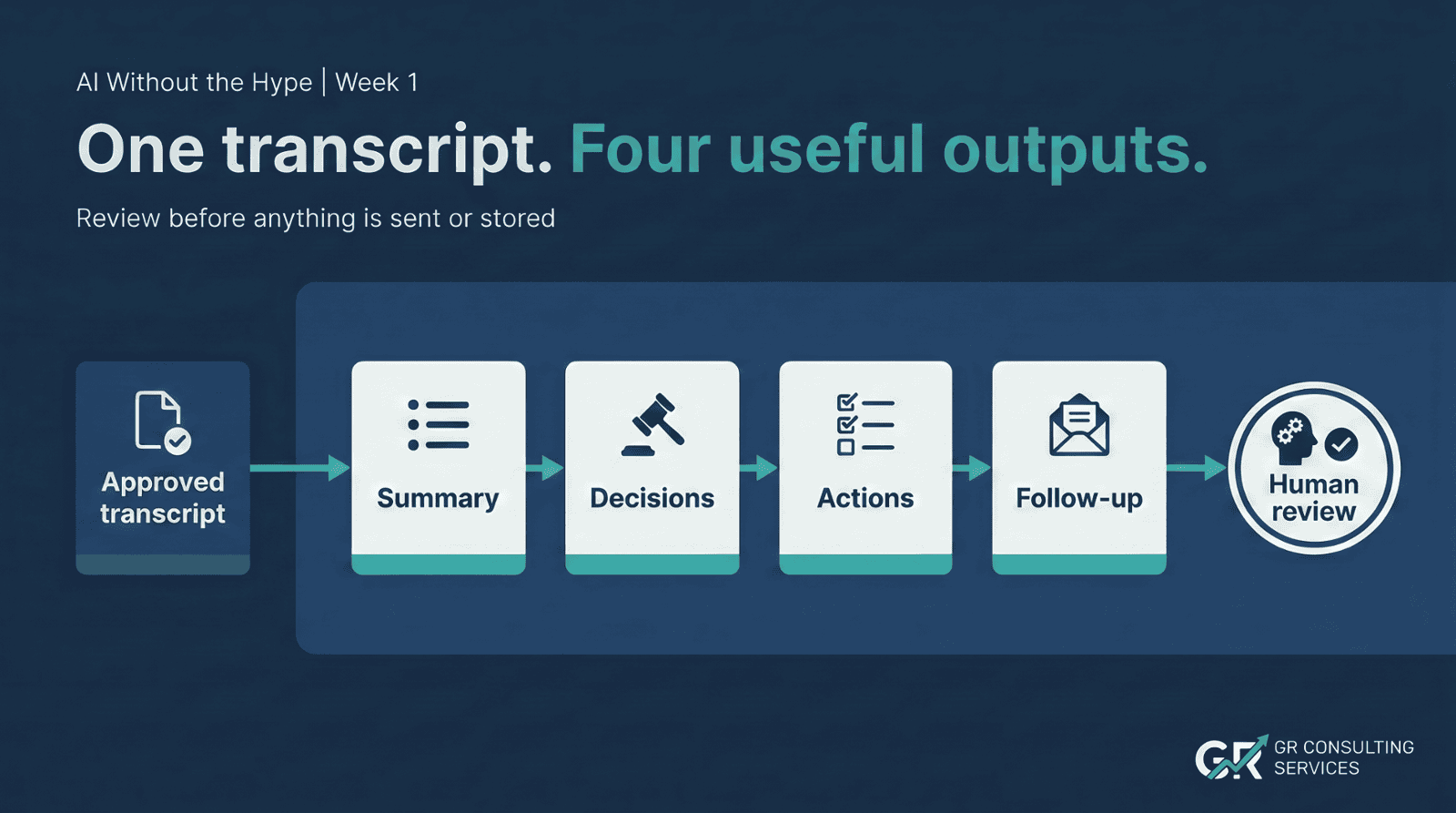
Use the approved meeting transcript below to produce:
- A concise meeting summary.
- Decisions made.
- Action items in a table with action, owner and due date. Write
not statedwhere the transcript does not provide the information. - Open questions or unresolved points.
- A short draft follow-up email for participants.
Transcript:
[Paste the approved transcript here]
This prompt is intentionally simple. It can be used as a starting pattern in a suitable general chat tool. The product matters less than the clarity of the task, the suitability of the data and the quality of the review.
Common Mistakes to Avoid
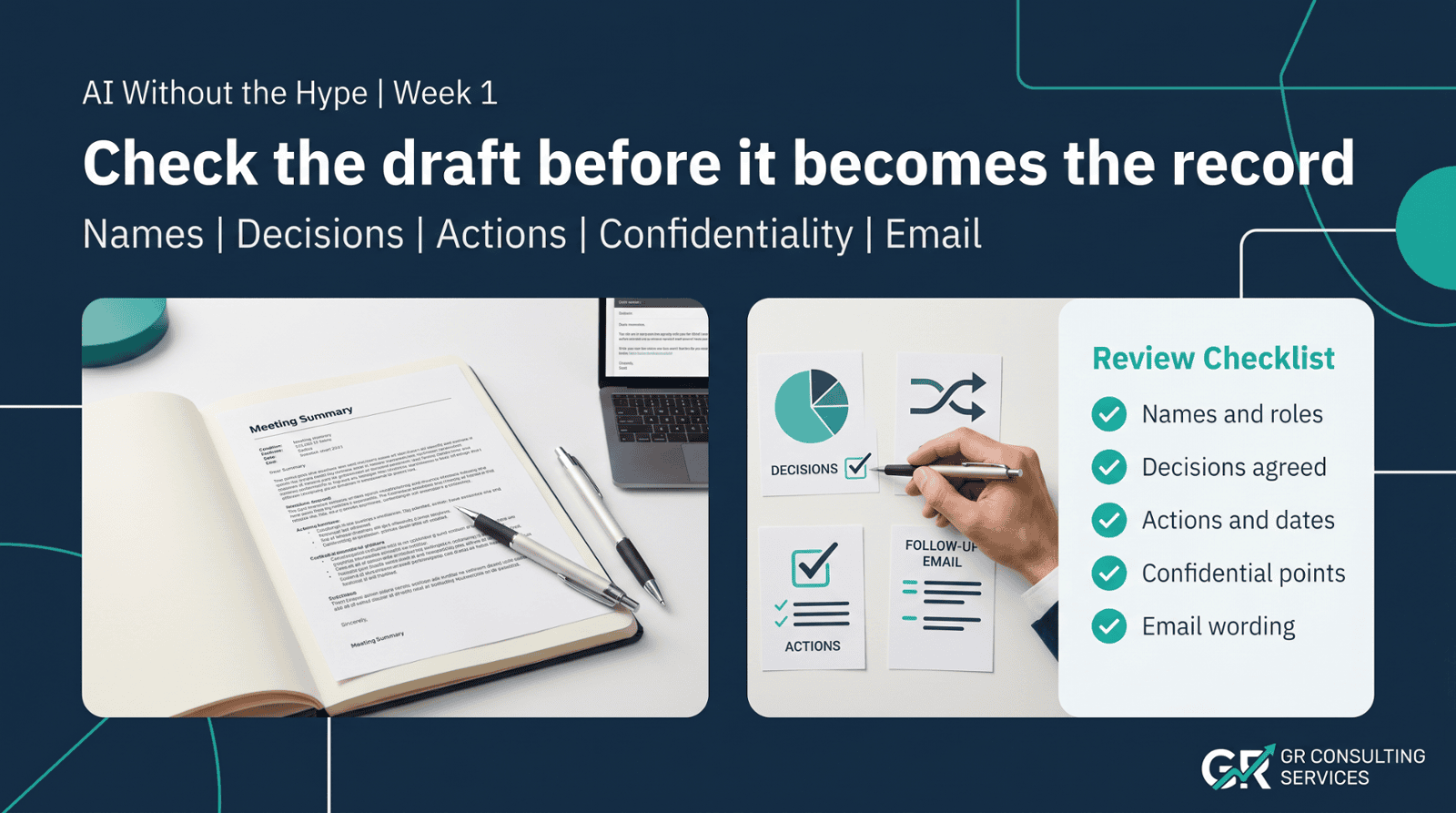
Uploading a Transcript Without Checking the Data
The first question is not "can the tool summarise this?" It is "should this material be uploaded to this tool under our policies and agreements?"
Allowing the Tool to Fill Gaps
An empty owner or due date is useful information. It tells you what still needs clarification.
Sending the Email Without Review
The draft may sound polished while containing a wrong name, an invented commitment or an overconfident interpretation.
Treating the First Result as a Complete Workflow
The prompt completes the visible drafting task. You may still need to approve the record, update tasks, store the minutes correctly and send the right message to the right people.
That wider handling is where later workflow improvements may create additional value. It does not make the simple prompt a bad starting point.
What a Good First Experiment Looks Like
Choose a low-risk internal meeting with a short, clear transcript.
Run the prompt. Review the result. Note:
- how long the manual process normally takes;
- how long the AI-assisted version takes, including review;
- which errors or omissions appeared;
- which instructions improved the second attempt;
- whether the task happens often enough to justify a reusable assistant.
The goal is not to prove that AI is impressive. It is to find out whether it improves a real piece of work without creating unacceptable risk or more administration.
The Sensible Next Step
If the method works once, save the approved prompt and review checklist. If it works repeatedly, consider packaging the instructions into a reusable assistant so the format and rules do not have to be rebuilt every time.
Only after the manual process is understood should you consider connecting it to task systems, records, email drafting or controlled automation.
Start with one useful task. Make it consistent. Add context and connections only when the value and controls are clear.
GR Consulting Services helps founder-led SMEs identify practical AI opportunities, plan useful assistants and agents, and build the context and review systems needed for reliable work. To discuss where AI could sensibly help your business, get in touch for an AI opportunity conversation.
Start with the workflow, not the tool.
If your business is exploring AI but needs a practical view of where it fits,
GR Consulting Services can help you identify a sensible first use case and the controls it needs.